
Screenshots
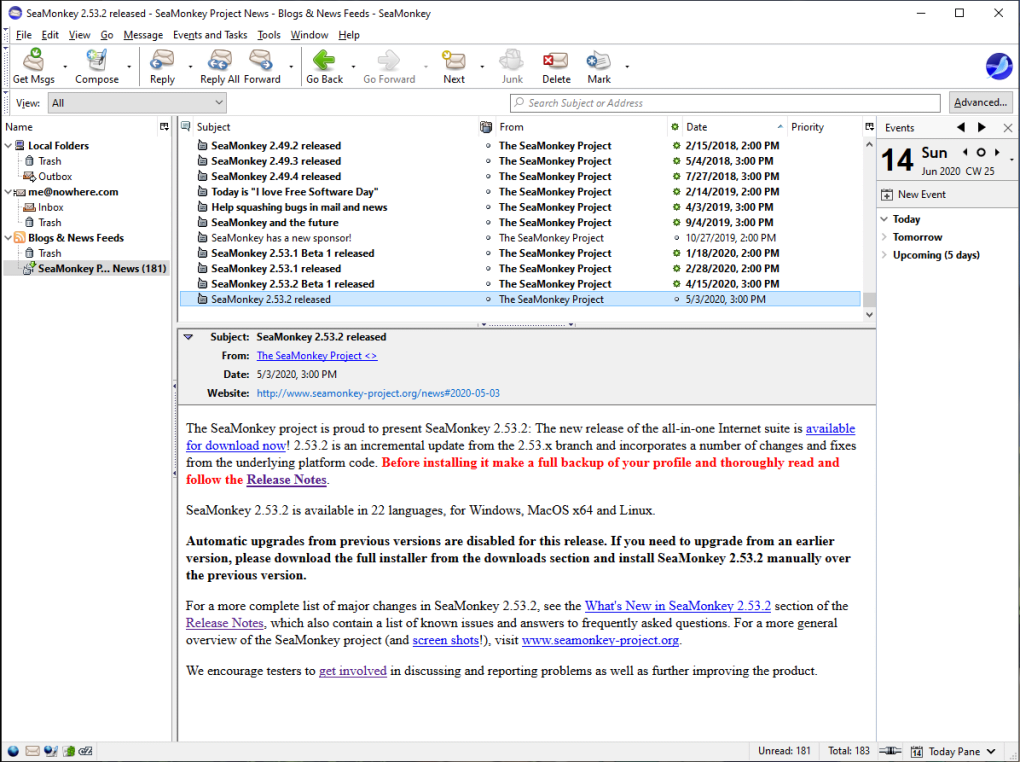
App details
- Version
- 2.53.14 | 2.53.10 | 2.53.9.1 | 2.53.8.1...
- Size
- 40.46 MB
- Updated
- January 31, 2025
- Requires
- Windows 8.1
- Language
- English | Czech | German | Spanish | Fre...
- License
- Free
- Developer
- SeaMonkey
- Category
- Windows OS
SoftPas in:
This product is also available in the following languages:
About SeaMonkey
Download SeaMonkey – Free All‑In‑One Internet Suite for Windows, macOS & Linux
Overview
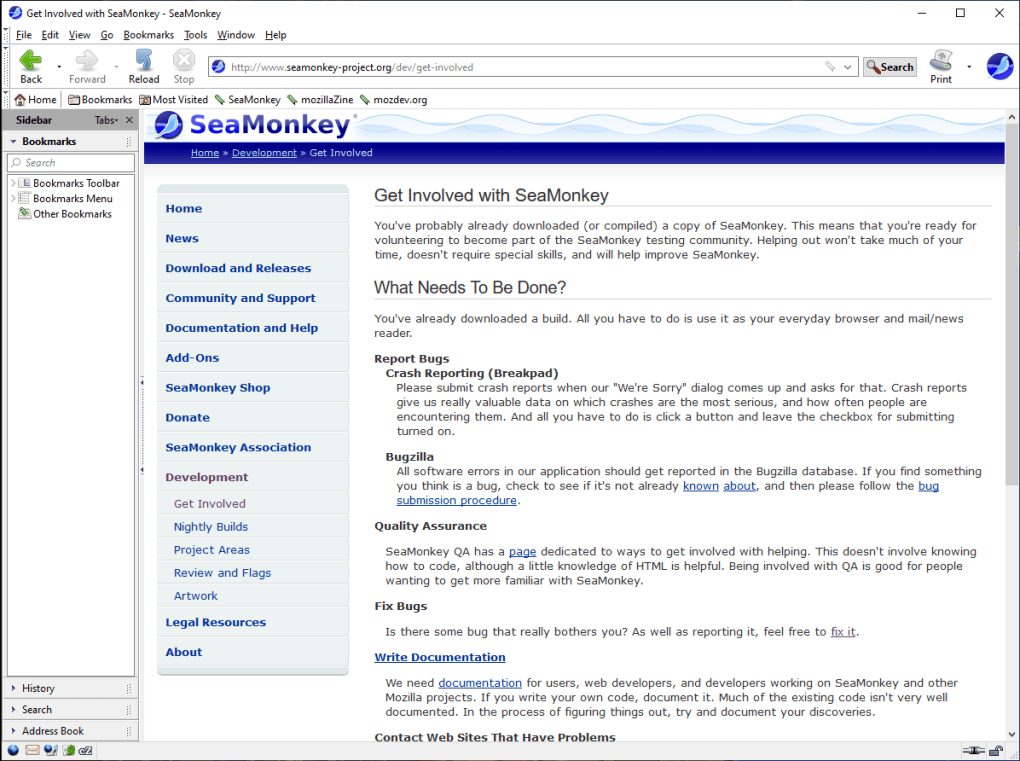
SeaMonkey is a community‑driven, free Internet suite that bundles a powerful web browser, a full‑featured e‑mail and newsgroup client, an IRC chat tool, an HTML editor, and a set of web‑development utilities. Built on the same engine that powered the classic Netscape and early Mozilla browsers, SeaMonkey offers a nostalgic yet modern experience for users who want an integrated toolset without the bloat of separate applications. The suite’s core philosophy is simplicity combined with extensibility: you get a secure, regularly updated browser that supports tabbed browsing, session restore, pop‑up blocking, and a robust add‑on ecosystem, while the mail client delivers multiple accounts, tagging, junk‑mail controls, and an internal RSS/Atom feed reader. For developers, the built‑in HTML editor, DOM inspector, and Venkman JavaScript debugger provide a lightweight yet capable environment for testing and tweaking web projects. Because SeaMonkey is open‑source and maintained by a dedicated community, updates are frequent, security patches are applied quickly, and new features are often driven by user feedback. Whether you’re a power user looking for an all‑in‑one Internet solution, a web developer needing quick access to editing tools, or simply someone who appreciates the classic feel of a unified suite, SeaMonkey delivers a secure, free, and versatile experience across Windows, macOS, and Linux platforms.
Feature Set – What Makes SeaMonkey Stand Out
- Integrated Web Browser: Tabbed browsing, session restore, smart location bar, built‑in pop‑up blocker, and support for thousands of lightweight themes (Personas).
- Mail & Newsgroups: Multi‑account support, junk‑mail filtering, tagging, message search, and an RSS/Atom feed reader directly within the client.
- IRC Chat (ChatZilla): Full‑featured IRC client with multiple network support, customizable scripts, and a tabbed interface for channel management.
- HTML Editor: WYSIWYG editing, syntax highlighting for HTML, CSS, and JavaScript, plus live preview for rapid web design.
- Web Development Tools: DOM Inspector, Venkman JavaScript debugger, and a built‑in view source option for quick code inspection.
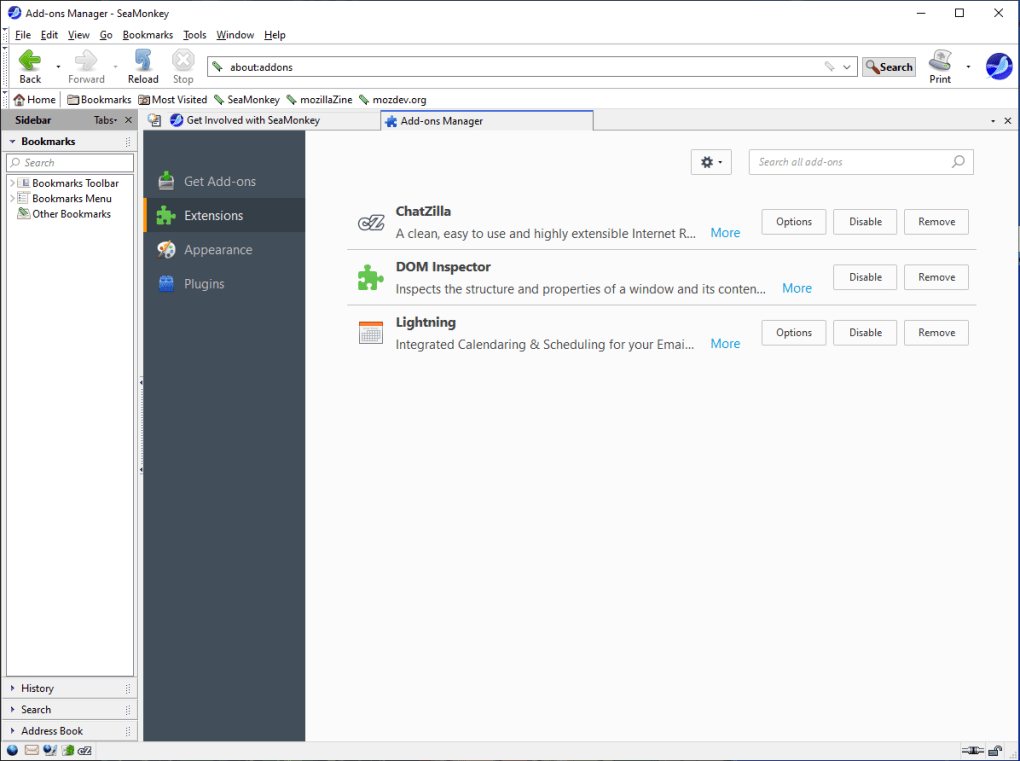
- Add‑On Management: Easy installation of community‑created extensions, themes, and plug‑ins; users can also create and share their own.
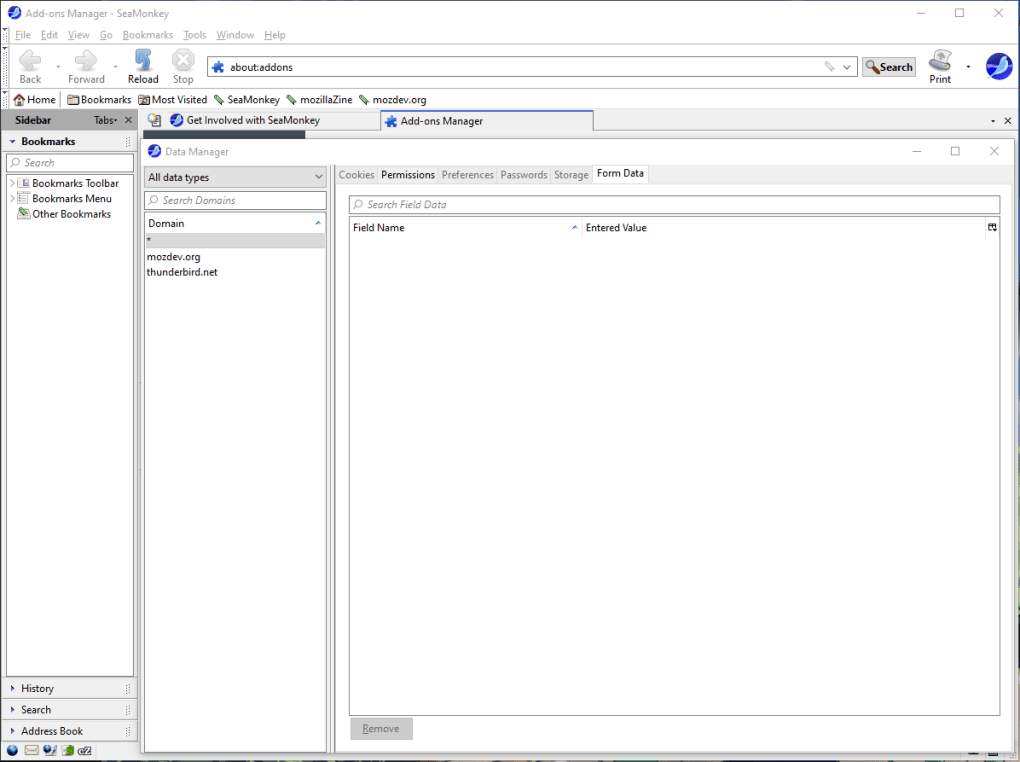
- Data Manager: Centralized interface to view and clear site‑specific data such as cookies, caches, and form history.
- Feed Detection & Preview: Automatic detection of RSS/Atom feeds with a built‑in preview pane that lets you read articles without leaving the browser.
- Secure Browsing: Regular security updates, sandboxed plug‑ins, and a safe‑mode troubleshooting page that disables extensions for debugging.
- Cross‑Platform Sync (via third‑party tools): While SeaMonkey does not include native cloud sync, extensions exist to synchronize bookmarks, passwords, and preferences across devices.
The combination of these features turns SeaMonkey into more than just a browser—it becomes a compact Internet workstation. Users who prefer a single, free application to handle daily web tasks will appreciate the seamless integration between browsing, communication, and development tools. Moreover, because the suite is open‑source, privacy‑focused users can audit the code, ensuring that the software remains secure and free from unwanted telemetry.
Installation & Usage – Getting Started Quickly
Step‑by‑Step Installation
- Download the Installer: Visit the official SeaMonkey website and click the Download SeaMonkey button for your operating system (Windows, macOS, or Linux). The installer is signed and delivered over HTTPS for a secure download.
- Run the Installer: On Windows, execute the
.exefile; on macOS, drag the SeaMonkey app into the Applications folder; on Linux, extract the.tar.bz2archive and run theseamonkeyscript. - Choose Installation Options: You can opt for a default installation or customize the install path, language, and which components (browser, mail, IRC) to install.
- Complete the Setup: Follow the on‑screen prompts. The installer will create shortcuts on the desktop and start menu (or Dock on macOS) for easy access.
- First Launch: When you open SeaMonkey for the first time, you’ll be greeted with a welcome wizard that helps you import bookmarks, set a home page, and configure your default mail account.
Everyday Usage Tips
Once installed, SeaMonkey’s unified interface allows you to switch between the browser, mail client, and IRC chat using the top‑level tabs. The smart location bar doubles as a search box and URL field, offering autocomplete suggestions based on your browsing history and popular sites. To reopen a closed tab, simply press Ctrl+Shift+T (Windows/Linux) or Cmd+Shift+T (macOS). The Undo Closed Window feature works similarly for entire windows.
For power users, the Add‑On Manager (found under Tools → Add‑Ons) lets you browse, install, enable, or disable extensions without leaving the suite. If you encounter a crash, the built‑in Session Restore will automatically reopen all previously open tabs, preserving your workflow. To troubleshoot problematic extensions, launch SeaMonkey in Safe Mode (hold Shift while starting) which disables all add‑ons and displays troubleshooting information.
The mail client integrates tightly with the browser: clicking a mailto: link opens a new message window, while RSS feed detection adds subscription options directly to the feed sidebar. ChatZilla can be docked as a tab, allowing you to monitor IRC channels while browsing. This tight integration reduces context switching and keeps your workflow streamlined.
Compatibility – Supported Operating Systems & System Requirements
SeaMonkey runs on the three major desktop operating systems:
- Windows: Compatible with Windows 10, Windows 11, and Windows 7 (64‑bit recommended). Requires at least 2 GB RAM and 200 MB of free disk space for the core suite; additional space is needed for add‑ons and user data.
- macOS: Supports macOS 10.15 (Catalina) and newer, including macOS 12 Monterey and macOS 13 Ventura. A 64‑bit Intel or Apple Silicon processor is required; the installer includes a universal binary for seamless performance on both architectures.
- Linux: Available for popular distributions such as Ubuntu, Fedora, Debian, and Arch Linux. Packages are provided as tarballs; dependencies include GTK 3.22+, libpng, and OpenSSL. A modern X11 or Wayland session is recommended.
SeaMonkey does not currently offer native mobile versions for Android or iOS, but its web standards compliance ensures that websites viewed on SeaMonkey render correctly on mobile browsers. Users who need cross‑device sync can employ third‑party extensions that store bookmarks and passwords in services like Bitwarden or use cloud‑based profile folders via Dropbox or Nextcloud.
Because SeaMonkey is built on the same engine as Firefox ESR, it benefits from regular security patches. The development team releases updates approximately every 4‑6 weeks, delivering bug fixes, performance improvements, and protection against emerging web threats. Automatic update checks can be enabled in the Preferences → Advanced → Update Settings panel, ensuring that you stay protected without manual intervention.
Pros, Cons, and Frequently Asked Questions
Pros
- All‑in‑one suite eliminates the need for separate browser, mail, and chat applications.
- Free, open‑source, and community‑driven with transparent development.
- Robust add‑on ecosystem lets you customize functionality without bloat.
- Integrated web development tools provide quick debugging and editing.
- Secure browsing with regular updates, sandboxed plug‑ins, and safe mode.
Cons
- Interface feels dated compared to modern browsers like Chrome or Edge.
- No native mobile app for Android or iOS.
- Sync features rely on third‑party extensions rather than built‑in cloud services.
- Performance may lag on very old hardware due to the comprehensive suite nature.
- Occasional compatibility issues with newer web standards that newer browsers prioritize.
Frequently Asked Questions
Is SeaMonkey completely free to use?
Yes, SeaMonkey is released under the MPL‑2.0 license, meaning you can download, use, and modify it at no cost.
Can I import my bookmarks and passwords from another browser?
SeaMonkey provides import tools for browsers like Firefox, Chrome, and Internet Explorer. Simply go to File → Import → Bookmarks/Passwords and follow the wizard.
How often are security updates released?
Security patches are rolled out roughly every four to six weeks, aligning with the Firefox ESR release cycle. Users can enable automatic checks to stay up‑to‑date.
Is there a way to sync my SeaMonkey data across multiple computers?
While SeaMonkey lacks built‑in cloud sync, several community extensions allow you to synchronize bookmarks, passwords, and preferences via services like Dropbox, Nextcloud, or Bitwarden.
Can I develop my own add‑ons for SeaMonkey?
Absolutely. SeaMonkey supports the same XUL/XPCOM extension framework as Firefox. The developer documentation is available on the official site, and you can publish your extensions on the SeaMonkey Add‑Ons repository.
Conclusion & Call to Action
SeaMonkey remains a unique, free Internet suite that brings together browsing, communication, and development in a single, secure package. Its open‑source nature, regular security updates, and extensive add‑on library make it an attractive choice for users who value privacy and customization over flashy UI trends. While it may lack native mobile support and modern cloud sync, the suite’s robustness and community backing compensate with reliable performance on Windows, macOS, and Linux.
Ready to experience an all‑in‑one Internet solution? Download SeaMonkey now, install the suite, and start exploring the web with an integrated mail client, IRC chat, and development tools—all without spending a dime. Join the community, contribute an add‑on, or simply enjoy a secure, free browsing experience.
Guides & Tutorials
How to install SeaMonkey
- Click the Download button above.
- Once redirected, accept the terms and click Install.
- Wait for the SeaMonkey download to finish on your device.
How to use SeaMonkey
This software is primarily used for its core features described above. Open the app after installation to explore its capabilities.
User Reviews
No reviews yet. Be the first to share your experience.
You may also like
more
Llama 2
Free-to-use large language model As the new addition to Meta’s arsenal of langua...

NotebookLM
Revolutionizing the note-taking and idea-generation process NotebookLM is an exp...

Github co pilot
AI-inspired software development and coding platform GitHub Copilot is a browser...

Google Gemma
Google’s lightweight AI models Introducing Google Gemma , a family of cutting-ed...

AI Image Enlarger
A free app for Windows, by ai-image-larger. AI Image Enlarger is a free software...

DALL E
AI-driven text-to-image transformation engine DALL·E is a free graphic and desig...